Google Scholar Citations – an easy way to get citation metrics into UCSF Profiles?

Recently Google launched Google Scholar Citations: a simple way for you to compute your citation metrics and track them over time, per this blog post.

I went in to check it out on July 25, 2011 and ‘signed up’ – and here’s what I found. NOTE: apparently this is a limited launch with a small number of users, so if you can’t sign up, you can provide your email address to be notified when they open it up to everyone.

1. I went to: http://scholar.google.com/citations?view_op=new_profile

2. I logged into my Google account and then followed their 4 step process of claiming my citation profile. Here are the steps:

3. Step 1 was creating the Google scholar Profile – this entailed putting in my name, title, institution email address. (sorry no screen shot).

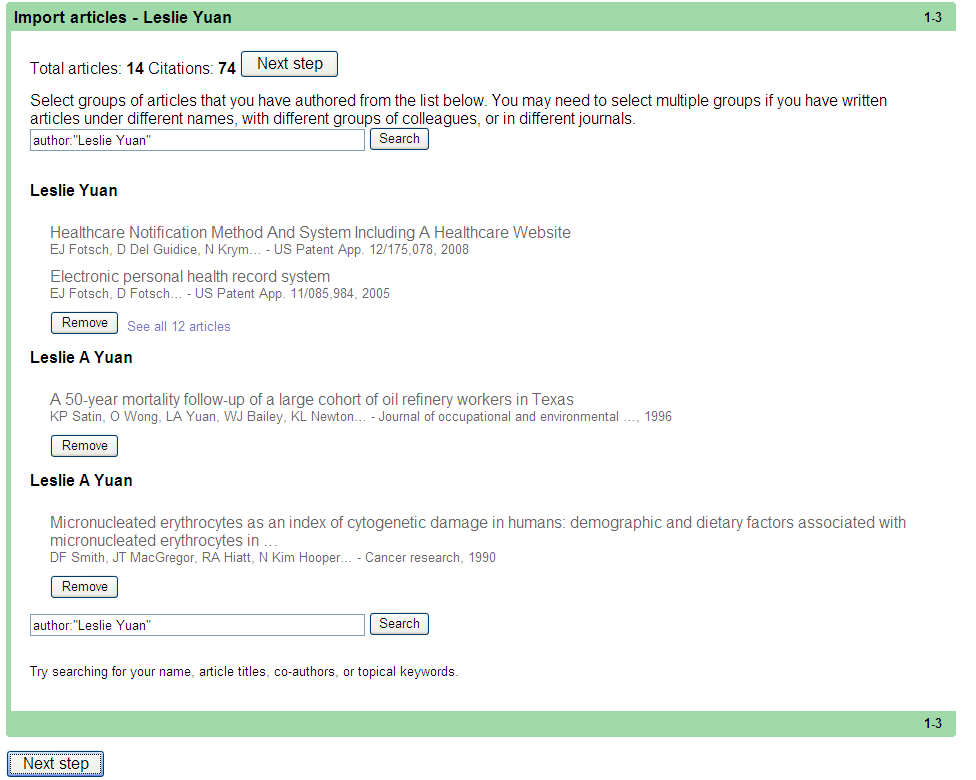
4. Step 2 is to import “Your articles.” The system automatically shows me what it found and then I went in to “claim” which articles were mine. Once I click the “This is mine” button next to every article that is mine, the button changes to “Remove” (if I want to change my mind). A few notes here:

a. The Google search found my articles in PubMed, and also some patent applications, but I know I had one article that isn’t it PubMed and this one was not found.

b. It was easy for me to claim my articles as I only had 3 items. For people with hundreds of articles to claim, I’m not sure how easy they make it to claim your work.
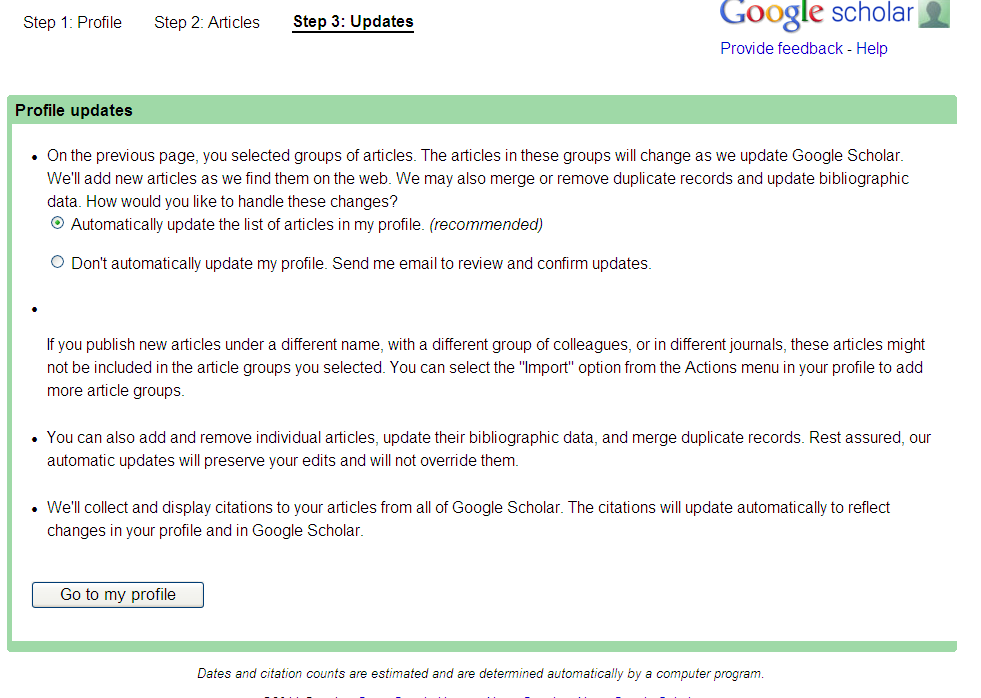
5. Step 3 is to configure your updates for Google scholar
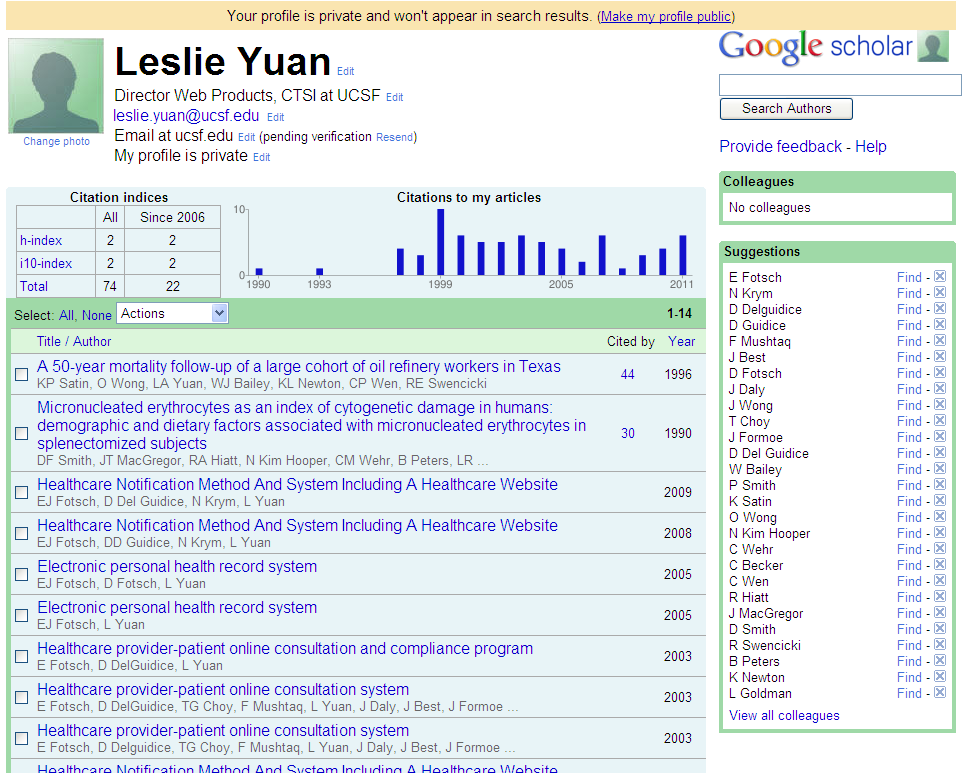
6. Step 4 – Go to view your profile, which is private by default. Change this to public if you want others to find it (and if you want to create a link to it from your UCSF Profile)
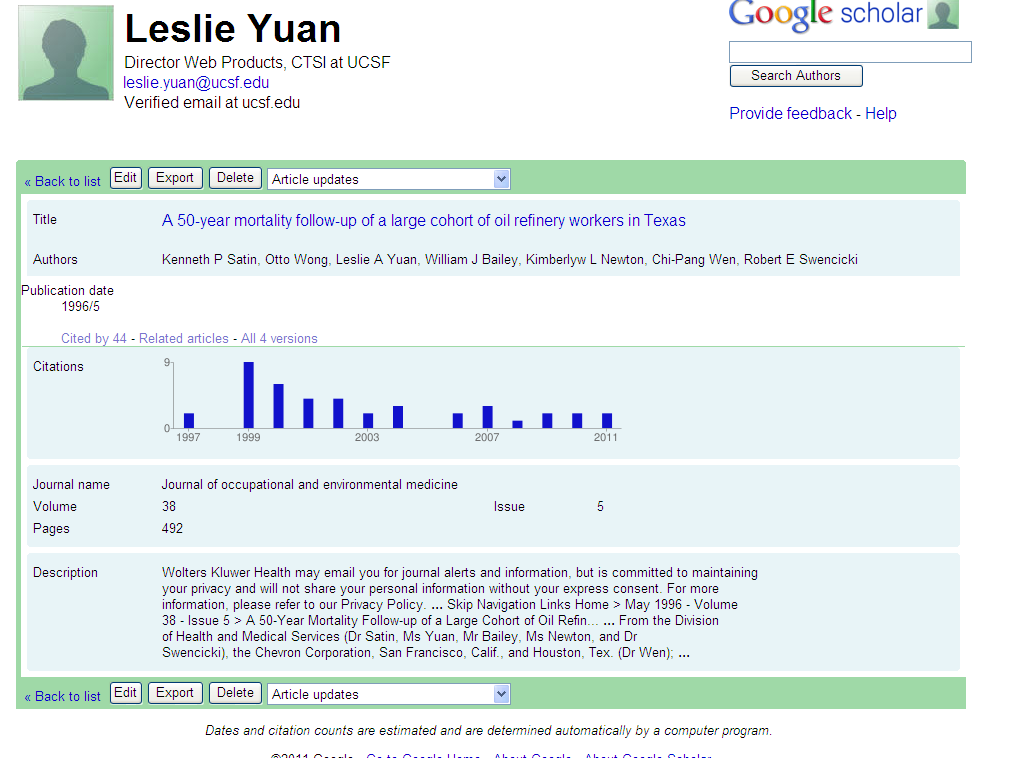
Clicking on a specific article gets you to:
7. If you’ve made your Google Scholar Profile public, you can grab this Google URL and easily create a link to citation metrics in your UCSF Profile. Log in to UCSF Profiles and edit the Websites associated with your profile. See a screenshot of mine below, or view it live.
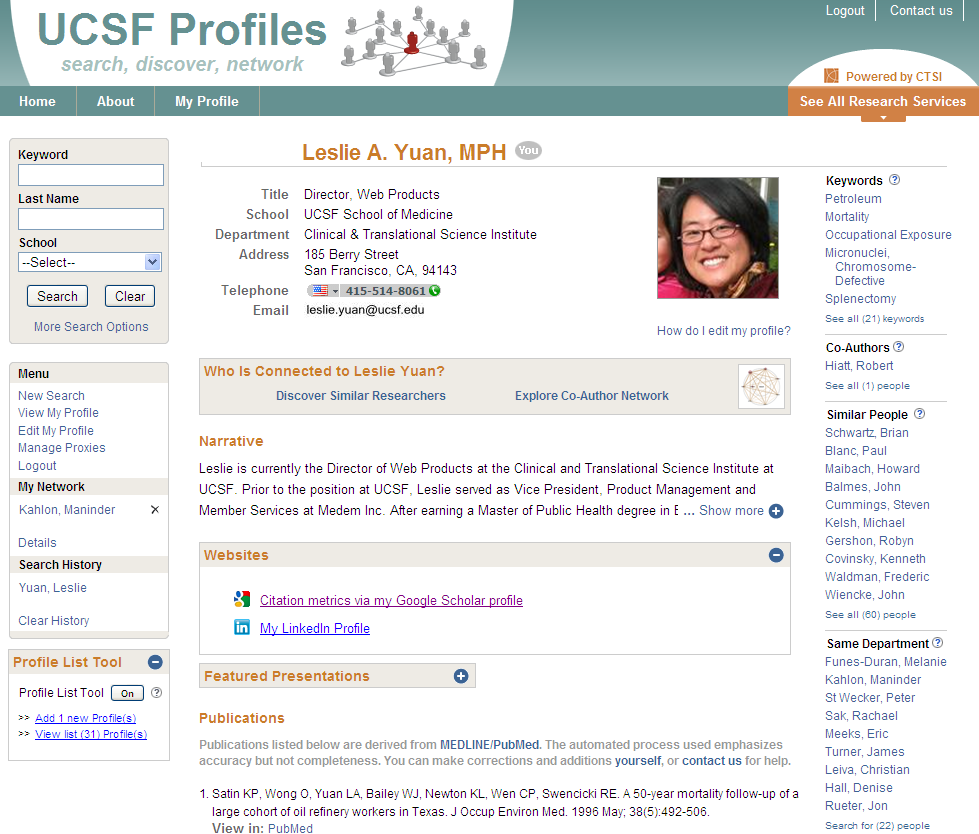
We’ve got some other ideas on how this work can intersect with UCSF Profiles and our work with research networking tools … in more robust ways than this. But in less than 10 minutes, I was able to do the above.

Google for Data?

When we think of searching the web for information, our thoughts (or at least mine) usually turn to Google.  However, if you’re looking for numeric data rather than text, a new search engine called “Zanran” might be a better place to start.

Zanran helps you to find ‘semi-structured’ data on the web. This is the numerical data that people have presented as graphs and tables and charts. For example, the data could be a graph in a PDF report, or a table in an Excel spreadsheet, or a barchart shown as an image in an HTML page. This huge amount of information can be difficult to find using conventional search engines, which are focused primarily on finding text rather than graphs, tables and bar charts. [via]

One nice trick: Hover your mouse over the icon on the left-hand side of the search results, and you’ll see a preview image containing your search term.

Read more:

Open Source Genetics

We’re familiar with open source software and open source data.  Now it looks like we need to add open source molecular biology to the list.

The same concepts that have lead to open source rockin the software world have spawned the beginning of a revolution in biotech. An organization called Biofab, funded by the NSF and run through teams at Stanford and Berkeley, is applying open development approaches to creating building blocks (BioBricksTM from BioBricks Foundation) for the bio products of the future. Now, the first of those building blocks based on E. coli are just rolling off the production line. This, according to the organizers, represents “a new paradigm for biological research.” (via)

Read more:

Interactive Biomedical Data Visualization

TripleMap

Continuing our theme of visualization, it looks like some pretty interesting tools are continuing to be developed.  One example is called TripleMap:

TripleMap is a data-driven software framework which gives biomedical research scientists access to massive interconnected networks of life science data. Using TripleMap you can analyze, visualize and share this information by creating “maps” of associated data which are relevant to your research.

Using a proprietary algorithm called Inferential Connectivity Analysis (ICA), TripleMap can identify connections for you between any two entities in its network. Want to know about potential connections between a protein and a disease? Want to know about potential connections between a compound and a cellular pathway? With ICA, TripleMap can perform a comprehensive, “deep” traversal of the entire TripleMap data network and identify any connecting entities. How powerful is identification of novel connections? It can be the difference between success and failure, novel insight and (less than) blissful ignorance.

Although they’re still in a closed “alpha” mode, the developer told me that they will be integrating the MedDRA ontology into it over the weekend, and he’ll send me a trial code early next week.  I’ll post a follow-up after I give it a try.

Mining ClinicalTrials.gov Data

The ClinicalTrials.gov results database now offers summary trial data that were not previously available publicly. A new article, published in The New England Journal of Medicine, summarizes the updates, key issues, and limitations of the database. However, according to the authors, ClinicalTrials.gov is continually adding features and linkages to facilitate the use and repackaging of the data by different audiences. The article provides some good food for thought as we’re looking for additional public data sources to expand our research networking tool UCSF Profiles.

Science 2.0

It is exactly what you think it is.  The term was brought up in todays demo by Mendeley, which has a product similar to EndNote but with some crowd-sourcing capabilities to categorize content.  You can google the term yourself of course, but here is a good introductory article on “Science 2.0”: http://www.scientificamerican.com/article.cfm?id=science-2-point-0-great-new-tool-or-great-risk